
Run any sport tournament. Share it live.
Create teams, generate matches, enter scores, follow standings and share live results — from setup to champion.
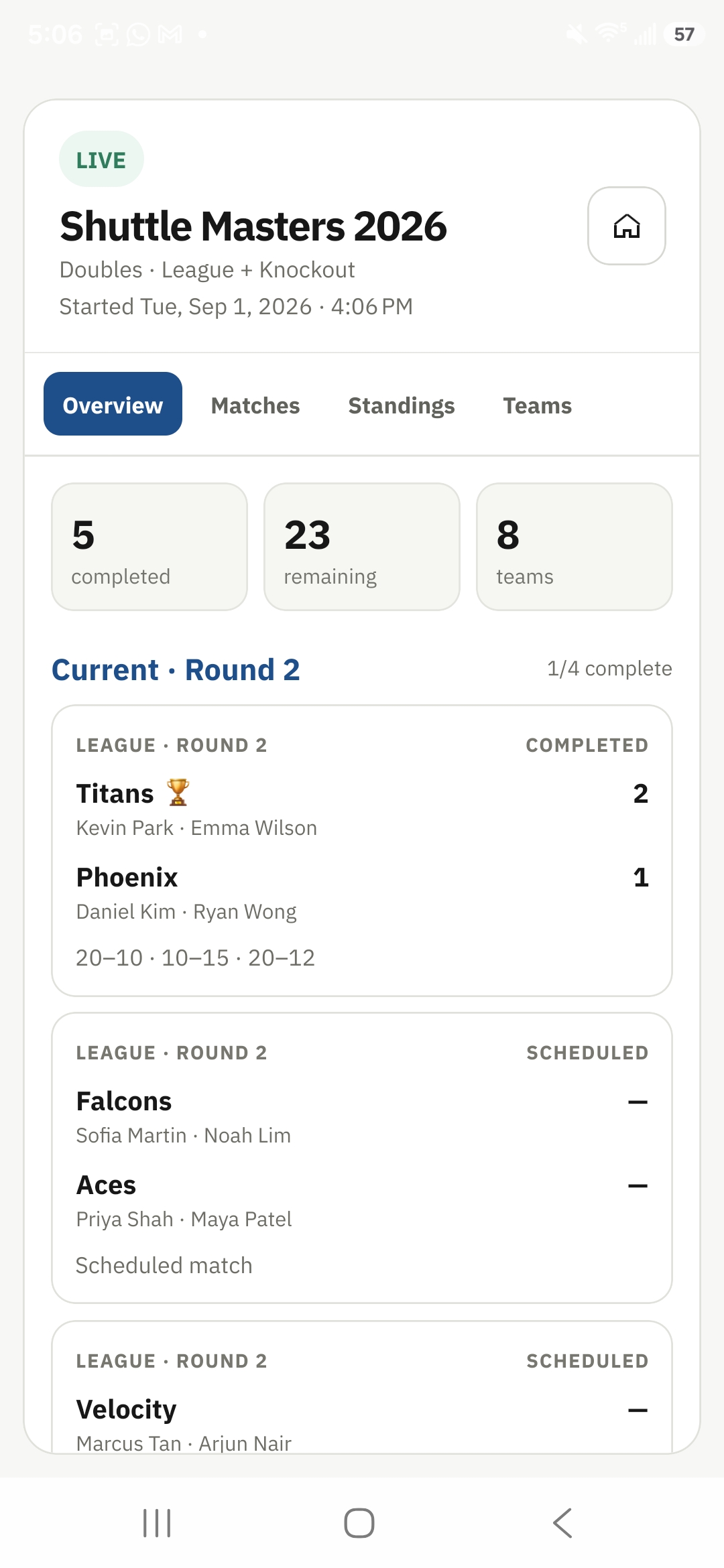
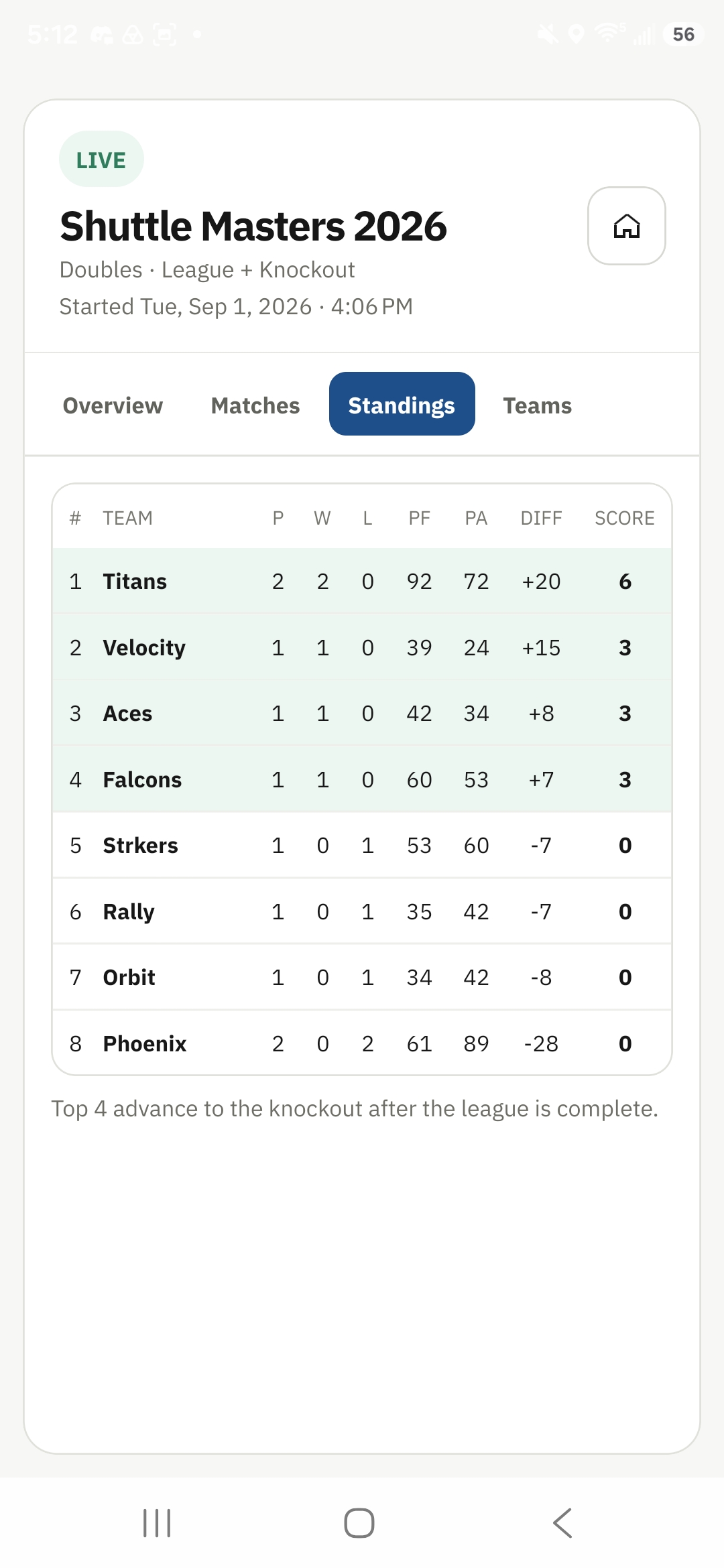
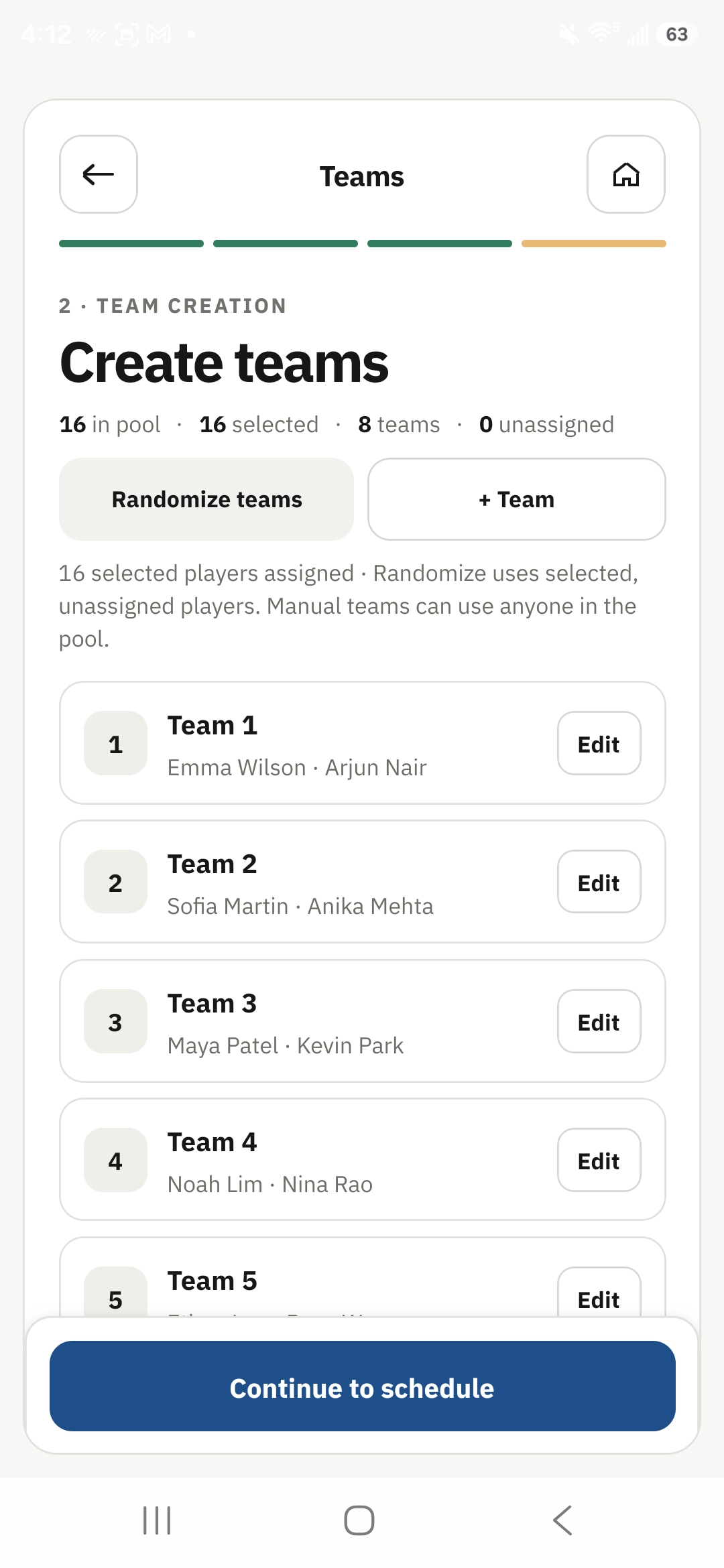
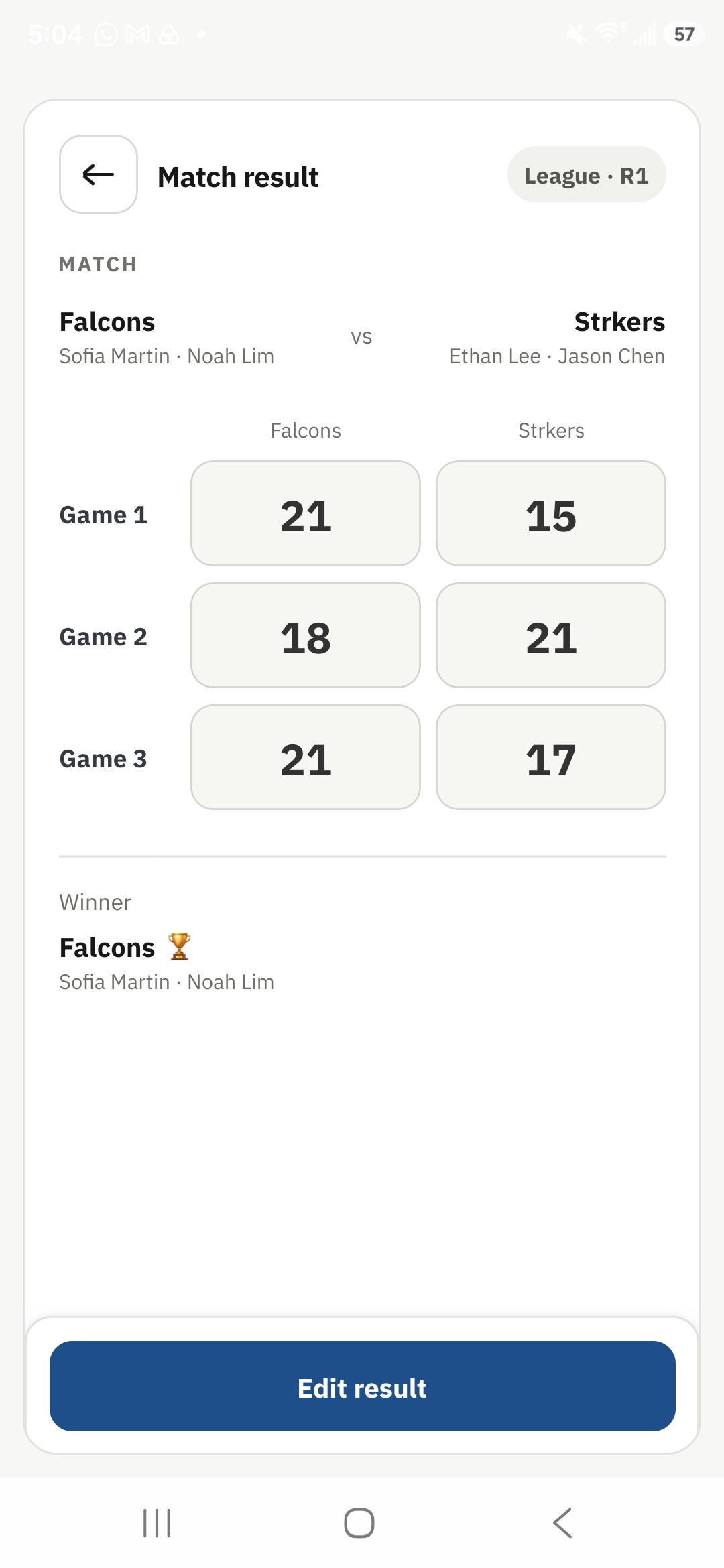
Create teams, generate matches, enter scores, follow standings and share live results — from setup to champion.
Built to support flexible tournament structures as Tournament OS expands beyond badminton.
A clean, operational interface built for running tournaments, not decoration.
Share a public tournament page so players, family and spectators can follow along.
Set up the event, run the matches, then share it when you want others connected.
Add players and teams, choose the format and generate the matches.
Enter scores, follow standings and move the tournament toward the final.
Publish a live page or invite an umpire to score from the browser.
Create the event, build the participants and teams, generate the matches and keep the tournament moving from one operational overview.
Build a player pool, form teams and manage the tournament without a separate roster sheet.
Publish the tournament, share the public link or QR code and let spectators follow live matches, Up Next, standings and completed results.
Results feed directly into standings and tournament progression so the organizer does not need to maintain a separate spreadsheet.
Invite an umpire from the organizer app. The official signs in through the browser and scores authorized matches while the organizer stays in control.
Quick answers before you run your tournament.
No. Core tournament management is local-first. Sign in when you want connected features such as public sharing or umpire access.
Yes. Publish a public tournament page and share its link or QR code. Spectators can follow it in a browser.
Yes. An authorized umpire can sign in through the browser and submit scores for the shared tournament.
Yes. The organizer can score in the app, authorized officials can score in the browser, and spectators can follow the published tournament page.
Not currently. Tournament OS shows match sequence such as Next and Then rather than assigning courts or scheduled start times to individual matches.
Tournament OS